


A working Apple Watch can lose its place on your wrist long before it stops being useful. In his hands-on review, OSReviews tries RePod by Techpod with a first-generation 40mm Apple Watch SE and finds the mechanical scroll wheel more convincing than he expected. The appeal is physical: the Watch becomes something larger to grip, with a ring your thumb can turn.
RePod is a handheld case that turns an Apple Watch into a Mini Phone for music and everyday essentials. For someone with a spare Watch, OSReviews’ review makes the purchase question concrete. Would that familiar screen, inside a different body, become something you want to pick up again?
TL;DR: What OSReviews Likes About RePod
- He finds the mechanical scroll wheel satisfying and says it works better than he expected.
- He likes the substantial metal feel and the larger body to hold while using the Watch.
- He values keeping the Watch’s sharp display, touchscreen and wireless headphone support.
- He sees an appealing way to repurpose an older Watch that is no longer being worn.
What OSReviews Tests with RePod
- He turns the wheel to browse lists and music, then taps the touchscreen to select items.
- He adjusts music volume through the wheel on a supported playback screen.
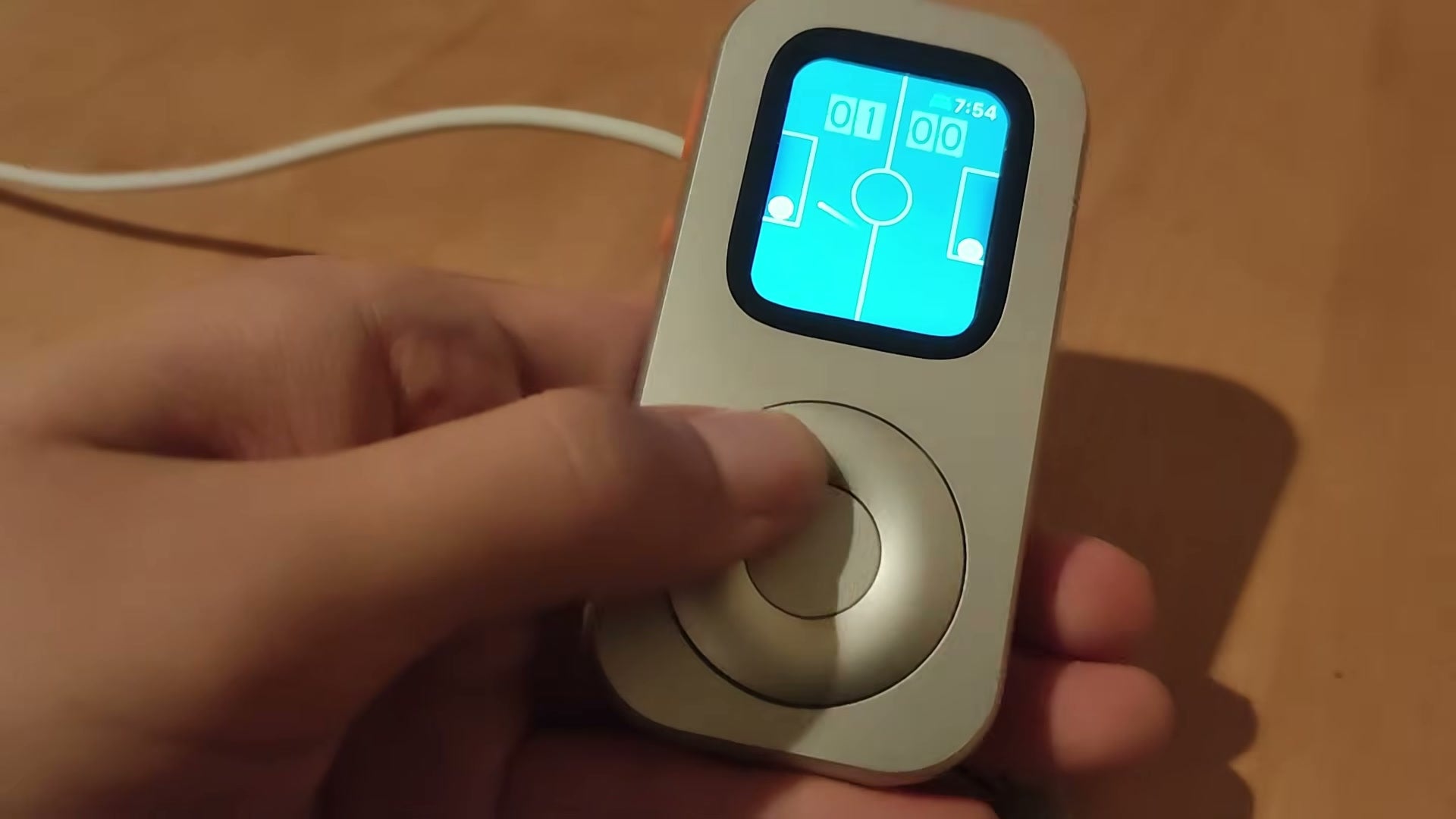
- He tries the wheel with a simple paddle game and opens other Watch controls and apps.
- He checks access to the side controls and presents a magnetic charger at the rear opening.
The wheel earns its place on the front
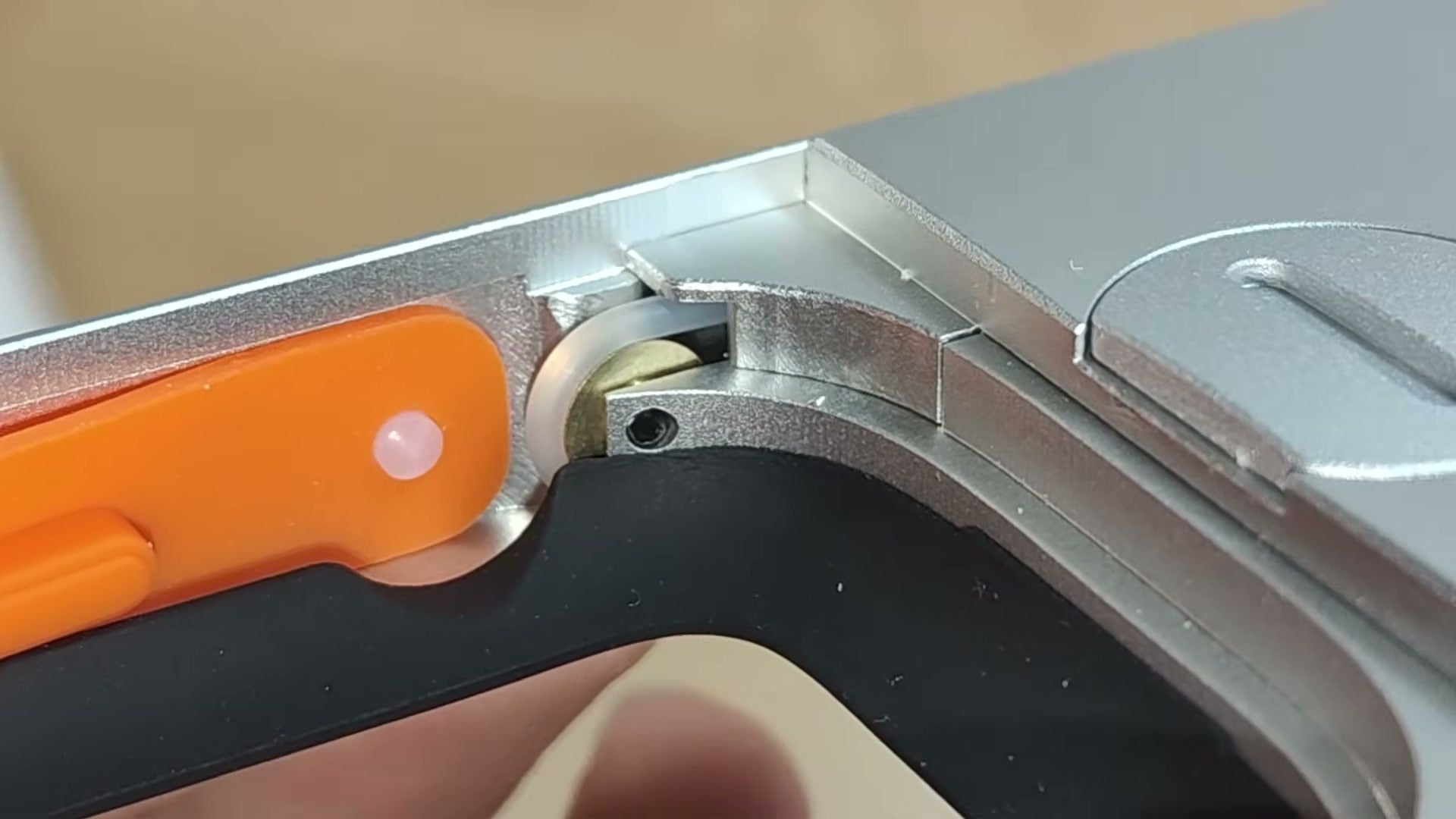
The most interesting part of OSReviews’ assessment is what happens between the large ring and the small Digital Crown. He opens the case to examine the linkage: turning the front wheel moves a small internal mechanism, which contacts the Crown. Your thumb supplies the movement, and the Watch responds through its existing control.
That mechanical connection explains why the case needs no battery, Bluetooth pairing or companion app. There is no separate controller to charge before you use the wheel. Once the Watch is correctly seated, the ring carries your movement to the Crown. OSReviews finds the arrangement clever, and his list-browsing demonstration backs up his enthusiasm.
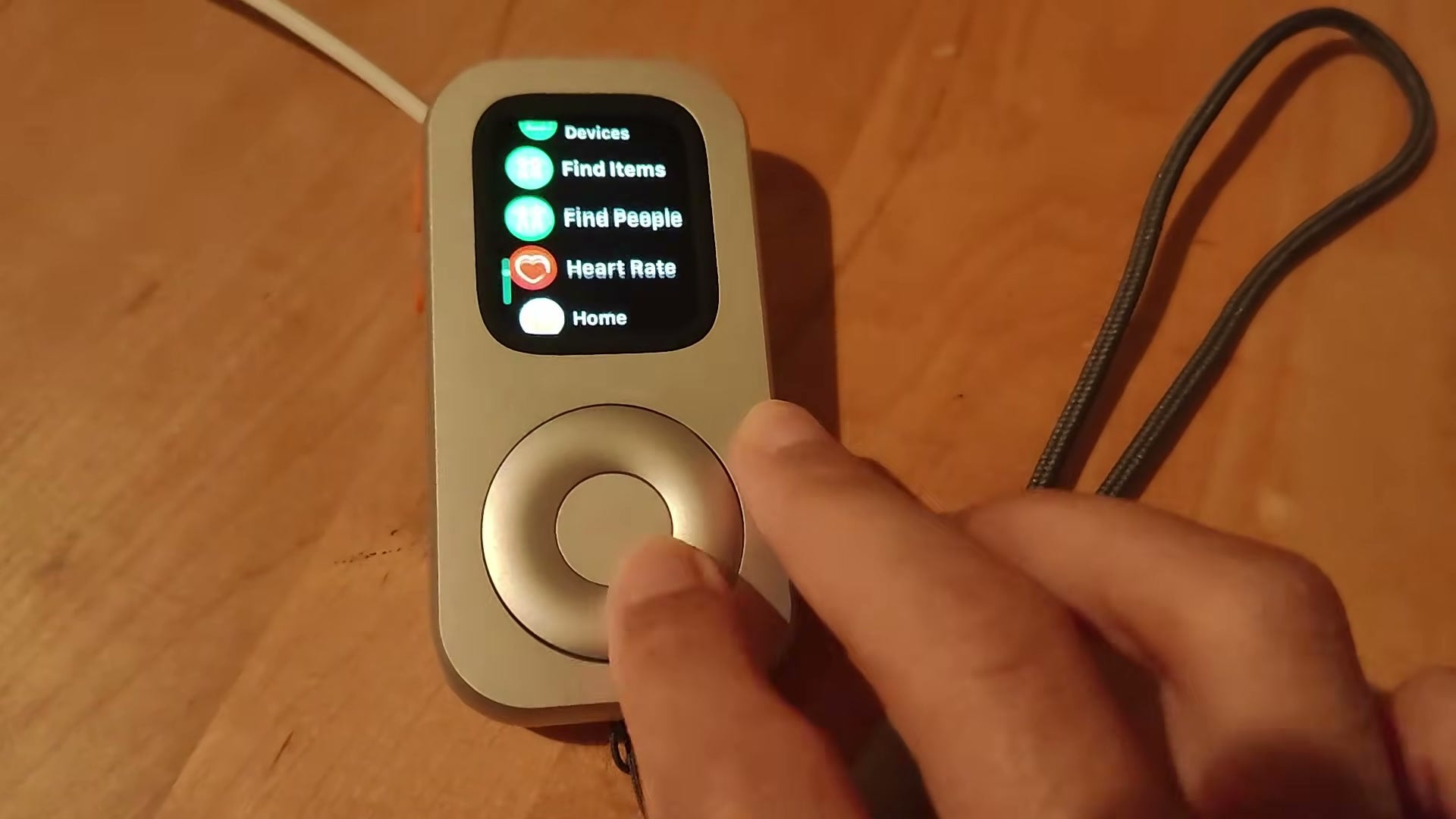
He also identifies the limit you need to understand before buying. The center disc is decorative; pressing it does not select a track or open an app. He turns the outer ring to move through a list, then reaches up to tap the Watch screen. The touchscreen remains part of normal operation.
The split is easy to see when he scrolls through the Watch’s text App List. A broad movement at the front moves the familiar list on the display. Selection still needs a tap, so the experience combines the wheel with the touch controls you already know. The response also follows the current app and watchOS: a Crown action available on one screen may have a different purpose on another.
The Watch feels different in a larger body
OSReviews repeatedly returns to how the assembled device feels. He likes the heft of the reviewed metal enclosure and the larger area available to hold. The Watch screen stays small, but the body underneath it gives his fingers somewhere to rest while his thumb works the ring. That physical change is the main attraction for him.
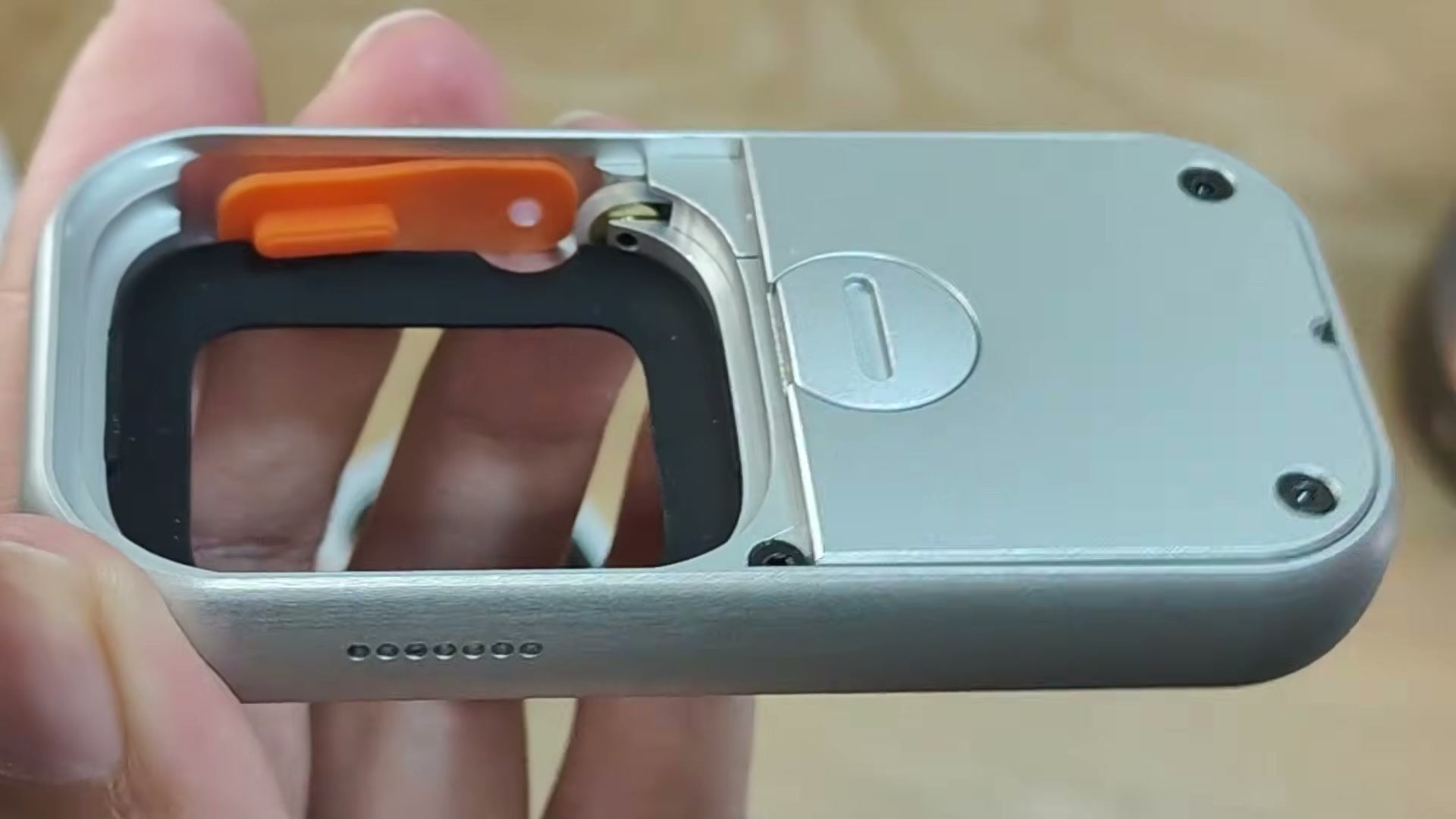
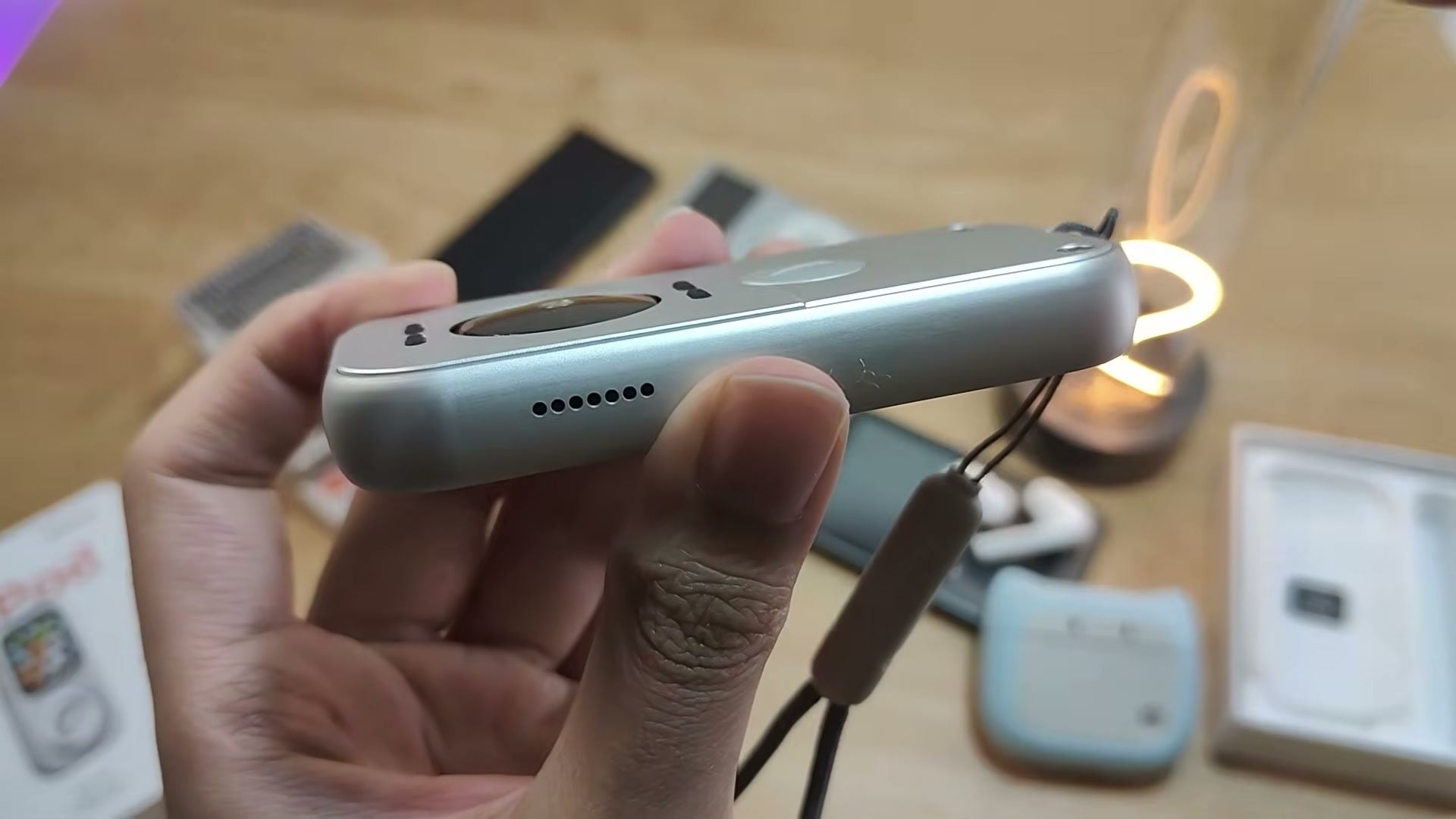
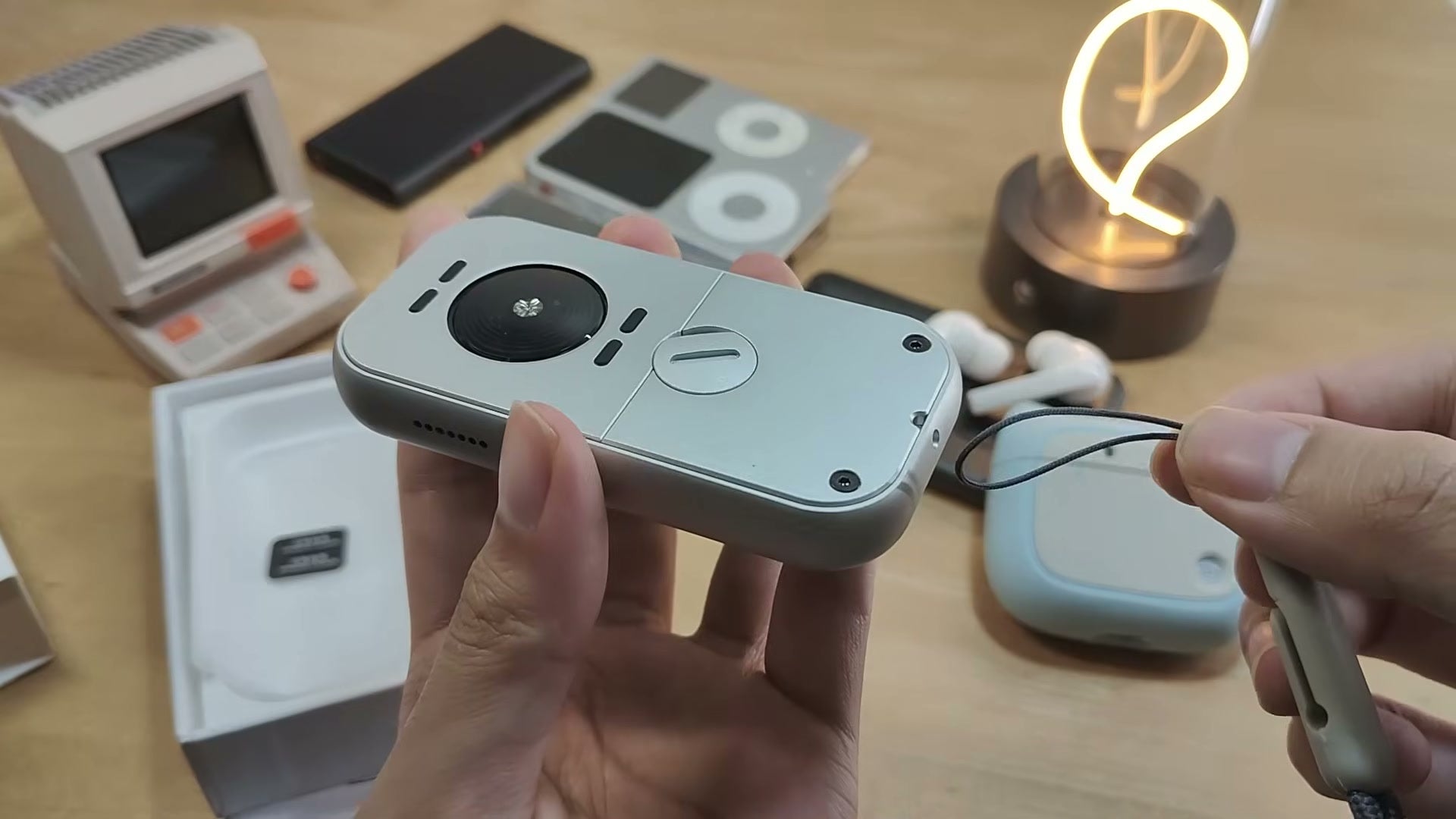
His closer inspection brings out details that are easy to miss in a quick product clip. A rubber gasket separates the Watch from the enclosure. The orange side controls stay accessible, and small rubber feet on the back lift the case slightly from the table. He also shows the included lanyard attachment. These details give the housing a more finished handheld character.
Near the end, he reports feeling the Watch’s haptic feedback through the case as he moves through options. That sensation comes from the Apple Watch inside. Together with the rotating ring, it contributes to his enjoyment of using the assembled device.
His comparison with older music players is mostly about that physical interaction. The retro shape attracts attention, while the moving wheel gives him a reason to keep handling it. For an owner whose spare Watch has become easy to ignore, that is a more relevant benefit than adding another app.
Familiar music, with a wheel under your thumb
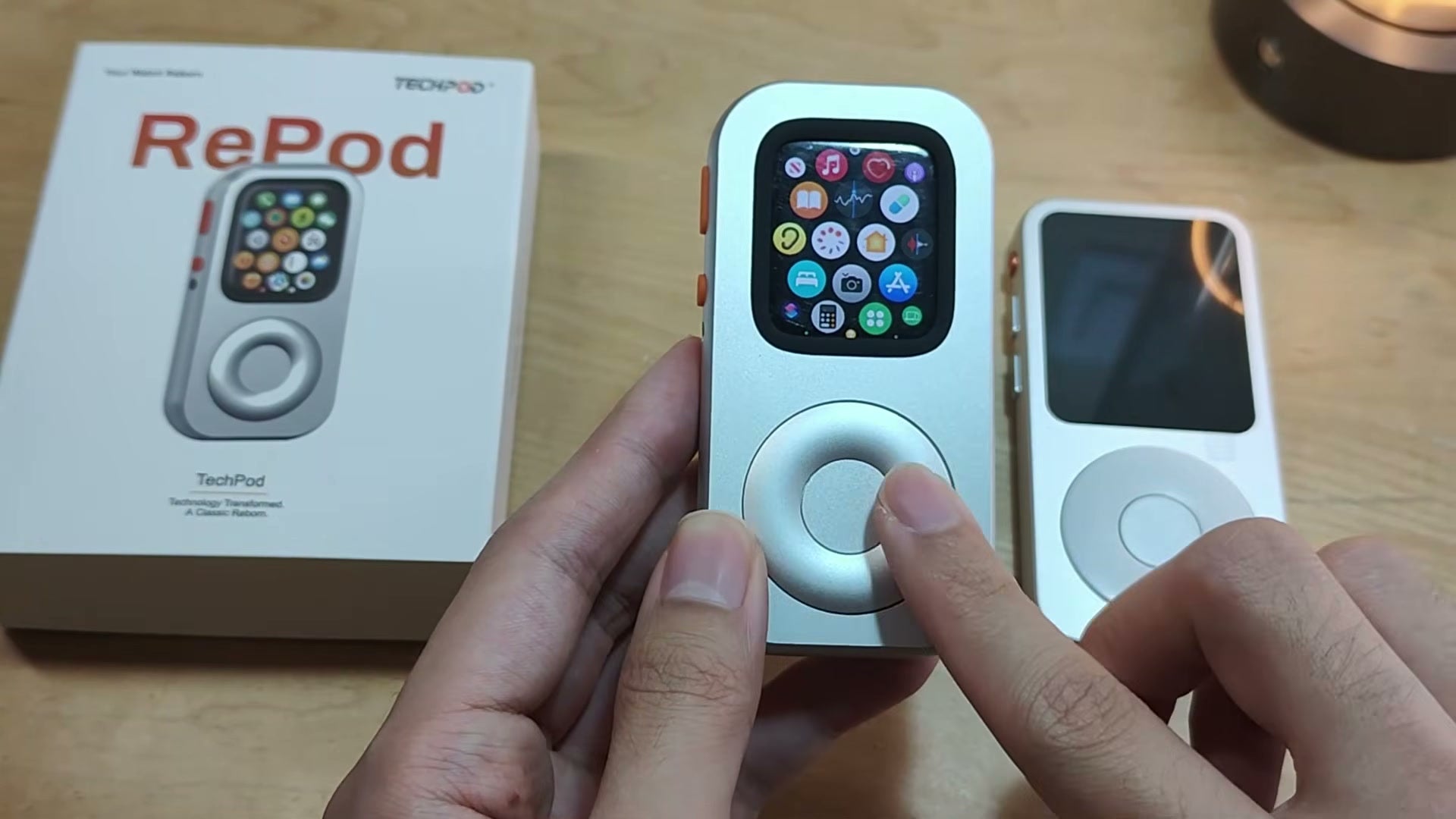
Music is the main use OSReviews explores. He browses the Apple Music interface, uses the touchscreen and demonstrates volume adjustment with the wheel. The Watch keeps its own display and software, so the album information and controls remain recognizably watchOS. He particularly likes the sharp, colorful screen.
Wireless headphones are part of the appeal he describes. The Watch already has Bluetooth audio support, so the handheld form can work with the headphones used for your existing Watch setup. RePod changes how you hold and operate that setup. In the playback view shown, his thumb can turn the larger ring to raise or lower the volume.
There is an important hardware limit here: the reviewed case has no 3.5mm headphone socket. If your reason for buying a dedicated music player is to connect wired analog headphones directly, this setup will not provide that connection. OSReviews treats wireless listening as the practical route for the device he is reviewing.
He is equally clear about sound. The audio electronics remain in the Apple Watch, and putting the Watch inside RePod does not improve its audio quality. His positive judgment is that the existing sound is sufficient for casual wireless listening, while the case makes the device more enjoyable to hold and operate.
He also discusses Apple Music downloads, streaming and other audio apps. For use away from the paired iPhone, prepare the music on the Watch first. Apple’s music guide distinguishes adding music from downloading it onto the device; supported downloads, account access and any subscription requirements still apply. Streaming and online radio need an internet connection. His review demonstrates the controls at the table, so it is best read as a hands-on account of the player experience.
The other Watch apps stay within reach
The review also shows why keeping the Apple Watch inside matters. OSReviews scrolls its App List, opens Control Center and visits the Voice Memos screen. You still have a Watch running its own apps, with side controls accessible through the case.
A simple paddle game gives the wheel another job. He turns the ring to move the paddle, an example of an app responding to the same Digital Crown input. It is a brief demonstration, but it helps explain the appeal of reusing hardware that already has a screen, processor and app system.
These moments keep the purchase decision tied to the Watch you own. If there are existing Watch functions you would enjoy using in your hand, RePod gives them a different physical setting. Check how your chosen app uses the Crown; the case carries that input through, and the app decides what happens next.
Charging stays with the Watch
OSReviews presents a magnetic Apple Watch charger at the rear opening of the case. The opening lets a compatible charger reach the Watch while it remains installed, with the charger aligned to the back of the Watch.
He would have liked extra battery capacity in the housing. The reviewed RePod has no additional battery, so the Watch’s own battery still determines how long the assembled device runs. The case also adds no separate audio hardware. Its contribution is the handheld body and mechanical control.
For a spare Watch, that makes its existing battery condition worth checking before putting it back to work. RePod gives that Watch another way to be used; the charging routine remains part of owning the Watch.
The initial setup still belongs to Apple Watch
OSReviews makes a useful distinction between setting up the case and preparing the Watch. The mechanical case needs no software installation. Apple Watch still needs its normal initial iPhone setup, account access and app preparation. He sees the idea as easier to approach when you already have an iPhone and know how your Watch works.
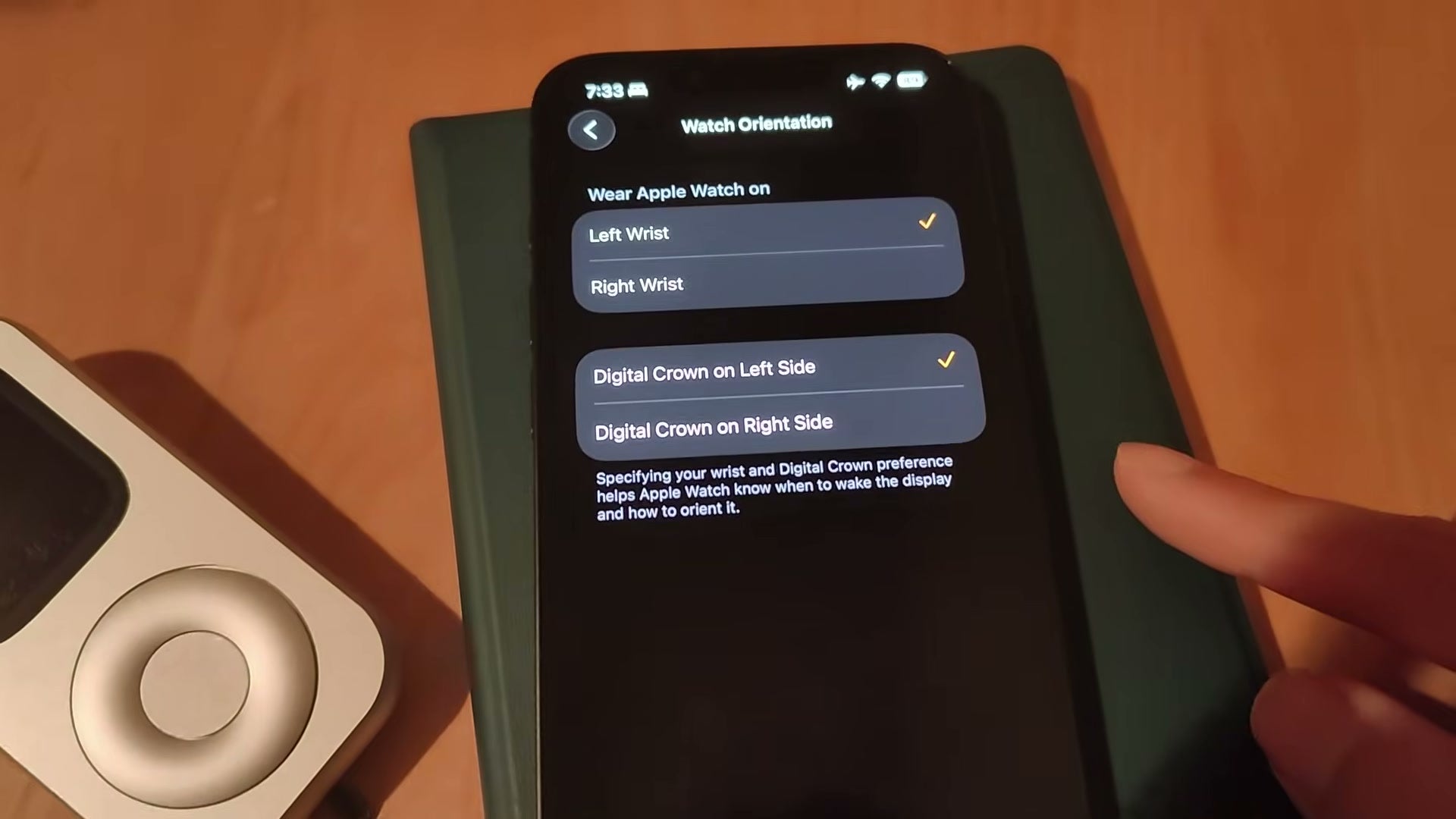
He consults the supplied Techpod quick-start instructions and highlights orientation. Setting the display and Crown orientation correctly puts the interface the right way up in the handheld body. Other display and off-wrist settings deserve their own decision: Wrist Detection affects automatic locking, while wake settings control how the screen turns on.
Techpod’s RePod setup guide covers those settings and their tradeoffs in detail. Follow that guide for the current instructions, especially before changing Wrist Detection. The separate scroll wheel guide explains how to compare the Crown’s response before and after installation if a particular app is not responding as expected.
A persuasive second life for a working spare Watch
OSReviews finishes with more enthusiasm than he expected to have. He recognizes the novelty of the idea, yet finds the working wheel and physical handling enjoyable enough to make the conversion appealing. The familiar Apple Watch underneath supplies the capabilities; the new body changes his experience of reaching for and using them.
That is the strongest part of his review for someone with a working Watch sitting unused. You already own the screen and apps. The question is whether you would use them more willingly in a handheld form, with a larger wheel for supported controls. His demonstration makes that change tangible, while keeping the touchscreen, audio and battery limitations clear.
The Techpod packaging in the review identifies the product he is handling. If this is the kind of second life you want for your Watch, Techpod’s official RePod page brings the current versions and purchase information together. Choose the version for your Watch generation and size before ordering. Apple Watch is sold separately.
Sources and further reading
Share this article